Eazly · Easing that explains itself

Animations that
look premium.

Good timing decides whether your work looks cheap or high-end. Eazly makes professional easing in After Effects as easy as one click – through a visual curve that shows you live what it does to your motion.

One-time purchase · lifetime license · for After Effects

The problem

Linear motion screams amateur.

Clean easing makes the difference – but the standard way in After Effects is fiddly: open the graph editor, hunt for handles, guess values, repeat. That leaves almost no time for what actually matters: how the motion feels.

In 3 steps

Choose. See. Apply.

1

Select keyframes

Pick your keyframes in the timeline.

2

Choose or shape a curve

Grab a preset or shape the bezier curve freely. Eazly shows you live how the motion will feel.

3

Apply – done

One click, and your animation instantly looks more premium.

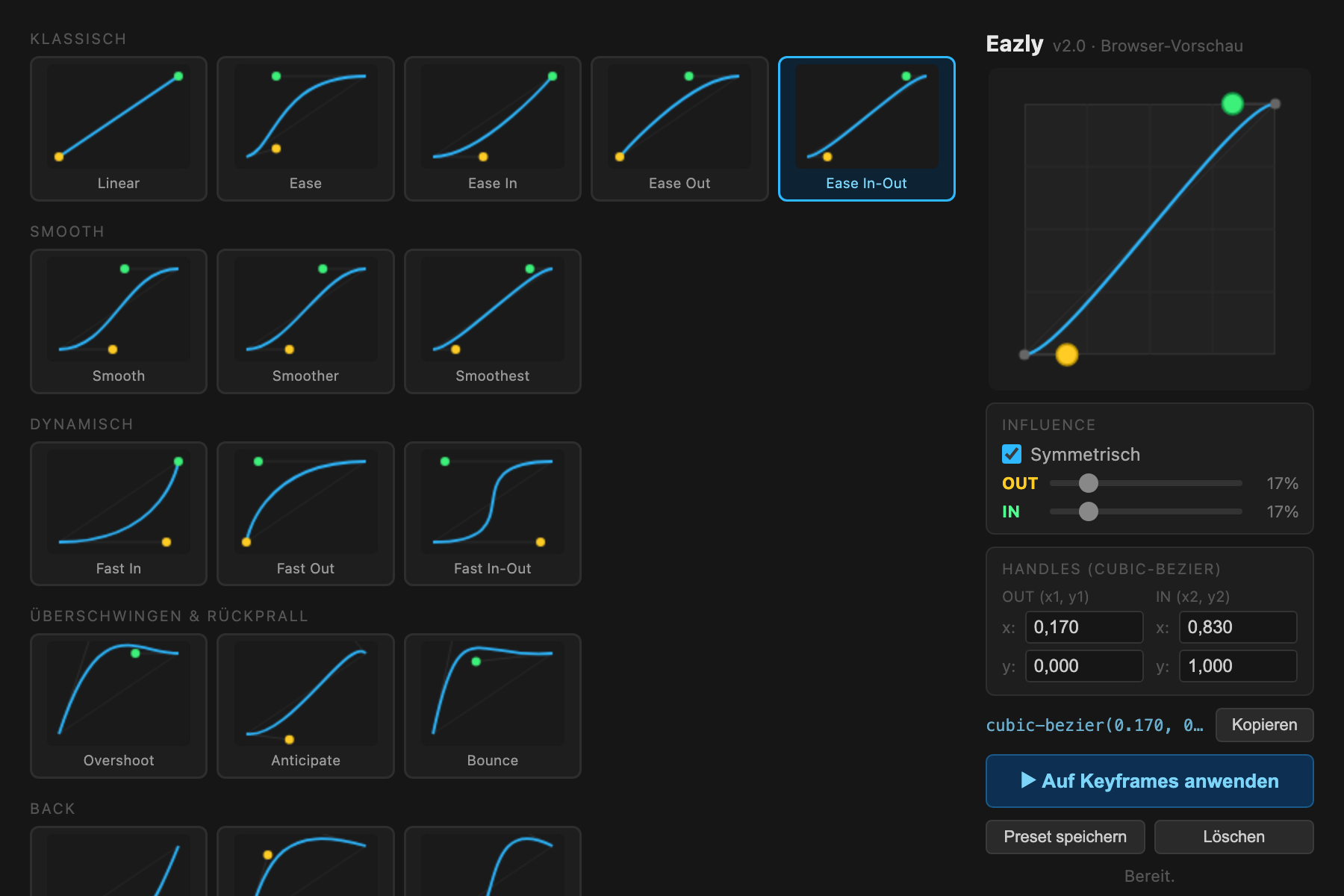
The Eazly panel: preset library and visual curve editor
One panel: the preset library on the left, the visual curve editor on the right. Everything visible – nothing hidden.
Features

Everything that makes good timing fast.

Visual curve editor

See the curve instead of guessing numbers – timing becomes a design decision.

48 presets in 14 categories

Proven easings – premium results from second one.

Pick easing

Read working easing from one keyframe and reuse it anywhere.

X / Y / Z separately

Fine-tune per dimension – for motion that truly lands.

Custom presets

Save your style, export, share and favorite it.

Clean & self-explanatory

One panel that explains itself – pro results without a learning curve.

Demo

See the difference.

The same animation – once linear, once with Eazly. The difference between “homemade” and “expensively produced”.

Demo video coming soon
Price

Pay once. Use forever.

Eazly – full version
€19€14
Launch price – back to €19 soon.
Get it now
One-time purchase · lifetime license · free updates · no subscription
FAQ

Frequently asked questions

Which After Effects versions are supported?

After Effects (recent versions), Mac & Windows.

Subscription or one-time?

One-time – pay once, use forever. No subscription.

Do I get updates?

Yes, updates are included.

How do I install Eazly?

Download the signed file (.zxp) and install it with a free ZXP installer. Then in After Effects: Window → Extensions → Eazly. On first launch, enter your license key.

Is there support?

Yes – direct support by email.